
Adding Licenses
If you acquire a license key for additional agents at either licensing level, you activate the new license on the Licensing page.
There are two ways to add a new license:
- by entering a string of characters in a text box
- by identifying the location of a file that contains the license key
Add Licenses by Entering the Key
To add new Carbon Black App Control licenses by entering the key, perform the following procedure.
- On the console menu, click the Settings (gear) icon and click System Configuration.
- Click the Licensing tab.
-
In the Licenses panel, click the Paste
license key radio button.
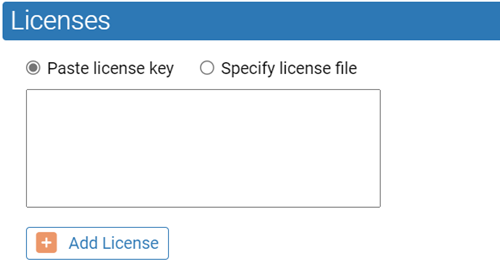
- Paste or type the license key you received from Carbon Black into the text box.
- Click the Add License button.
Add Licenses by File Name
To add new Carbon Black App Control licenses by file name, perform the following procedure.
- On the console menu, click the Settings (gear) icon and click System Configuration.
- Click the Licensing tab.
- In the Licenses panel, click the Specify license file radio button.
- Click the Choose File button to open the file chooser. Locate the license file and click Open in the file chooser.
- Click the Add License button.