
Viewing Your Carbon Black App Control License Limits and Usage
The Licensing panel of the System Configuration page shows the licenses you have at each level, allows you to add new licenses, displays how many licenses of each type are in use, including total license usage.
The Licensing panel can also show optional or custom features that are activated. For example, if you have licensed the Carbon Black App Control Connector, it is shown in this panel.
To view the Carbon Black App Control Licensing configuration page, click Settings > System Configuration> Licensing on the console menu.
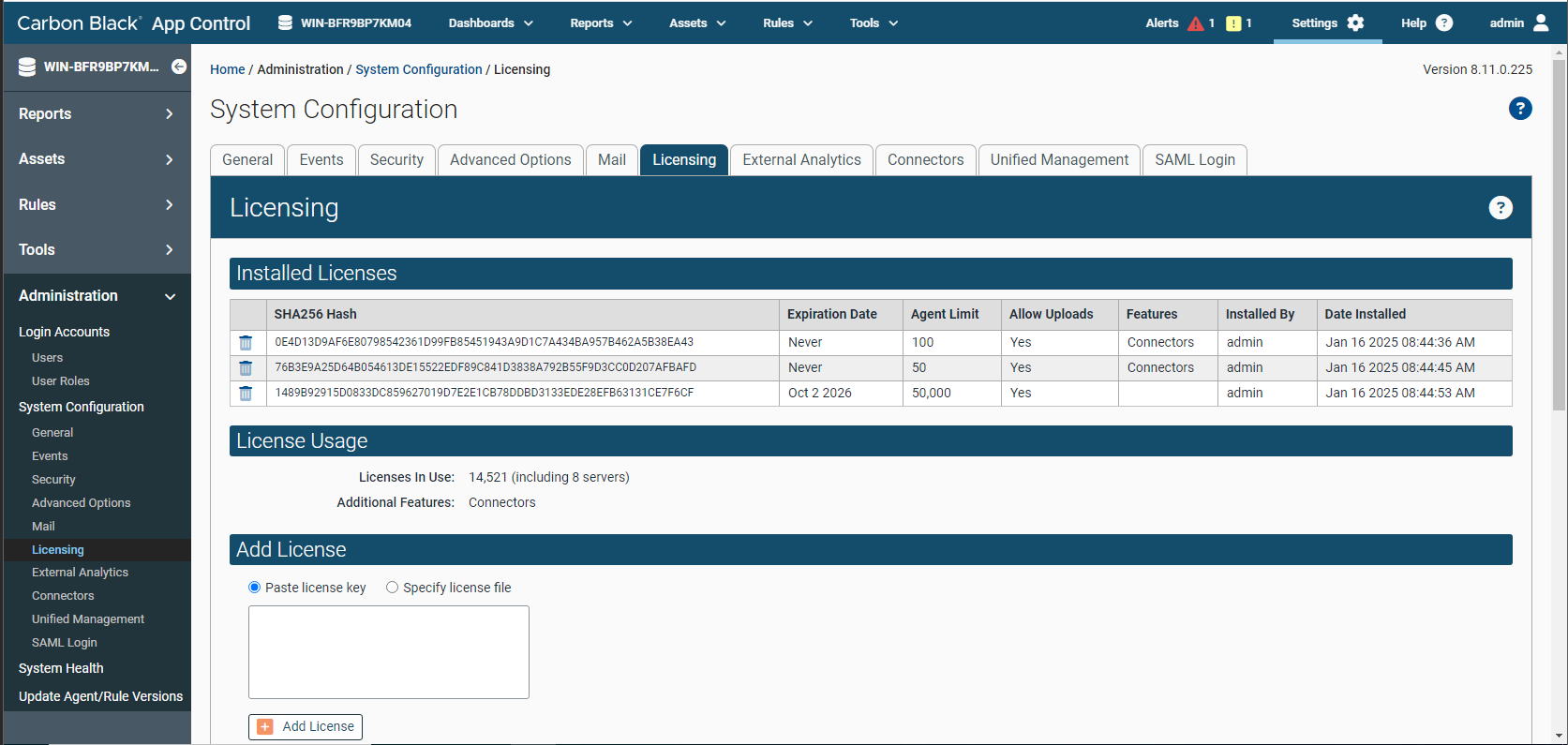
On the Licensing tab, the Installed Licenses panel shows the following information:
- SHA256 Hash: This is the SHA256 Hash for that license.
- Expiration Date: Displays the date the license expires. If there is no expiration date, Never displays.
- Agent Limit: Displays the number of agents licensed to use Carbon Black App Control.
- Allow Uploads:
- Yes: File uploads from agents are allowed.
- No: File uploads from agents are not allowed.
- Features: Displays optional features supported by the license, such as PAN (Palo Alto Networks) and File Reputation.
- Installed by: Displays the user that installed the license.
- Date Installed: Displays the date the license was installed on the Carbon Black App Control server.
- Licenses in Use: Displays the aggregate of the licenses in use.
- Additional Features: Diplays any addition supported features.
Carbon Black App Control server administrators can see licensing information on the Carbon Black App Control Console Home Page if the Licensing portlet is displayed. This portlet provides a Manage your licenses link that takes you to the Licensing configuration page.