
Reconnect a Disconnected Client Server
To reconnect a disconnected client server, perform the following procedure.
- On the Unified Management tab of the System Configuration page, click the Edit button.
-
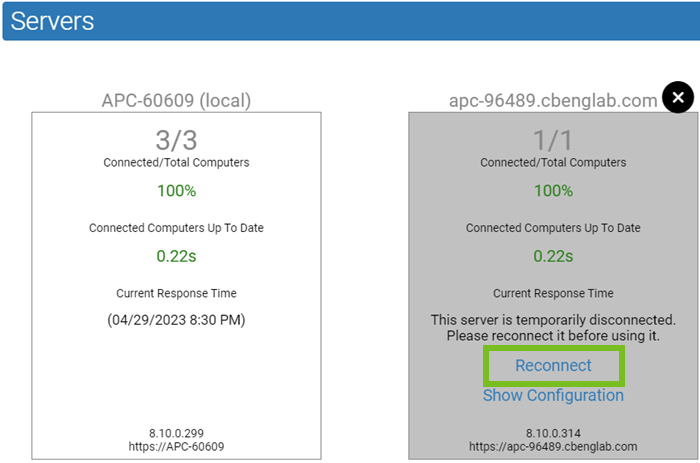
On the server panel, click Reconnect.
-
To complete the reconnection,
click OK in the confirmation dialog box.
The panel background becomes white and the client server status information returns to the panel.
- When you are finished reconnecting servers, click the Update button.