
Edit a Client Server Configuration
To edit the configuration for a client server, perform the following procedure.
- On the Unified Management tab of the System Configuration page, click the Edit button.
-
On the panel for the server to modify, click the Show
Configuration link.
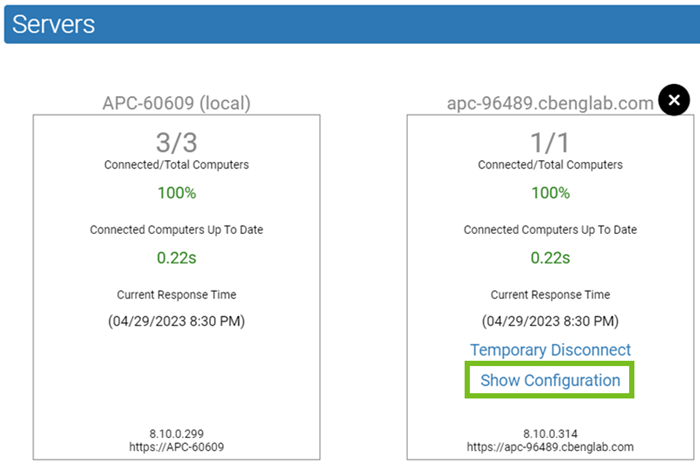
-
Make the appropriate modifications. Possible changes include the
following:
- Changing the server URL.
- Authenticating the connection to the client server if authentication has failed or was never completed for the currently logged in user.
- Enabling verification of the connection to the client server by using a certificate.
- When you have made the necessary changes, click Update.