
Regenerate the Communication Key
The communication key is maintained by the Carbon Black App Control Server and used to encrypt communications with the agent when the secure communication certificate between them becomes invalid. An alert is given five days before the communication key is regenerated. You can view the scheduled date of the next rotation and regenerate the communication key or reschedule the next rotation.
The communication key is regenerated
automatically once each year on the anniversary of the generated date. You can
regenerate this key at any time or reschedule the next rotation.
Tip: For additional
notification of the scheduled regeneration of the communication key, create
another alert to be triggered based on the event that occurs five days before
regeneration.
- On the console menu, click the Settings (gear) icon and click System Configuration.
- Click the Security tab.
-
Scroll to the bottom of the page and in the Communication
Key section, click Regenerate.
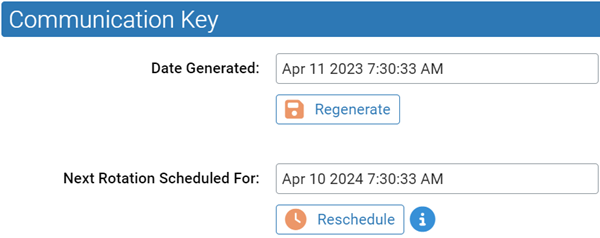 The Regenerate button is inactivated and the statement Communication key regeneration scheduled is displayed. An event is generated stating that the communication key is created.
 - Refresh the screen to display the new Date Generated timestamp.
- Optional, to reschedule the next rotation of the communication key, click Reschedule, specify a date and time, and click Save. The date must not be later than one month after the currently scheduled date.