
Prevalence Alerts
Prevalence alerts are triggered when the prevalence of a particular file reaches a threshold you set. You can go to the Alerts page and type in information about the file to create an alert for, but the easiest way to create a prevalence alert is from the File Details page of the file.
See Using App Control Alerts for more information about alerts.
Note:
- You cannot use wildcards in the filename for a prevalence alert.
- Provide a name, not a path, for prevalence alerts.
Create a Prevalence Alert
To create a prevalence alert for a file from its File Details page, perform the following procedure.
-
On the Files page, click the
View Details button next to the name of the file
whose propagation you want to track.
-
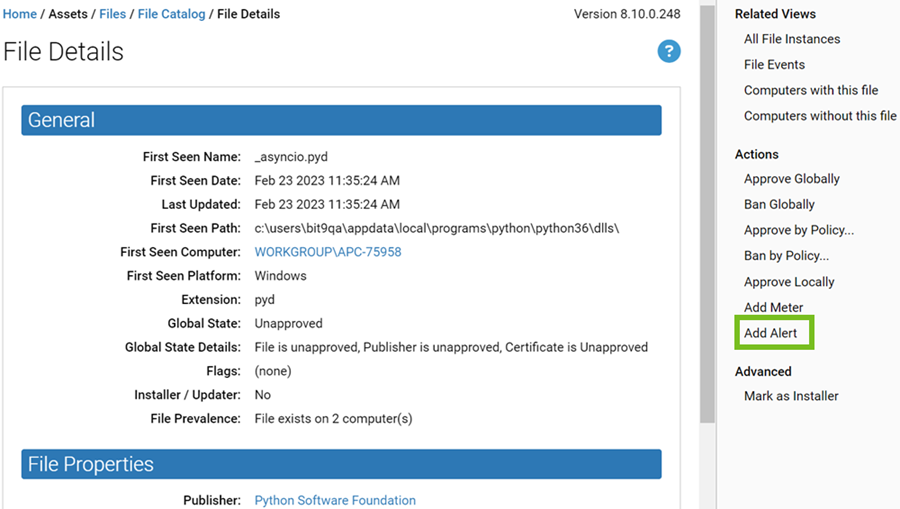
On the File Details page for that file, click Add Alert
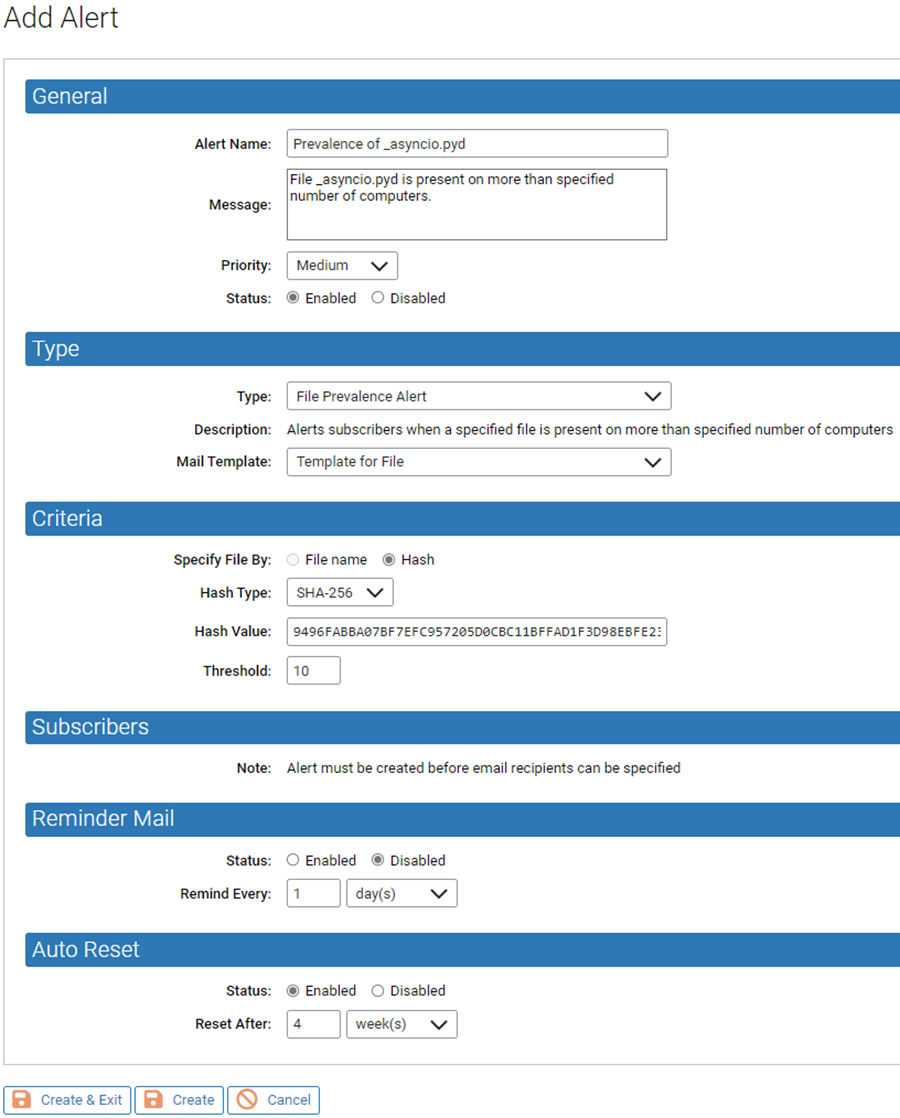
in the Actions menu. The Alert Information page opens
with the name of the file and its hash automatically filled in.
-
Set the remaining parameters for this alert including:
- Threshold number of computers on which this file must appear to trigger the alert.
- Reminder mail specifications if you want periodic email reminders to be resent after a certain period of time if the alert is not reset or the condition is not remedied.
- Click Create to stay on this page, or click Create & Exit to go to the Alerts table page. You now have a prevalence alert for this file that is visible on the Alerts page.
- To add email alert subscribers, click the View Details button for the alert and add the addresses in the Subscribers section of the Alert Information page.