View CVE Instance Details
You can view CVE instance details, including related CPE application information. To find computers that are affected by software in your environment, you can find all computers that are affected by a CVE instance.
-
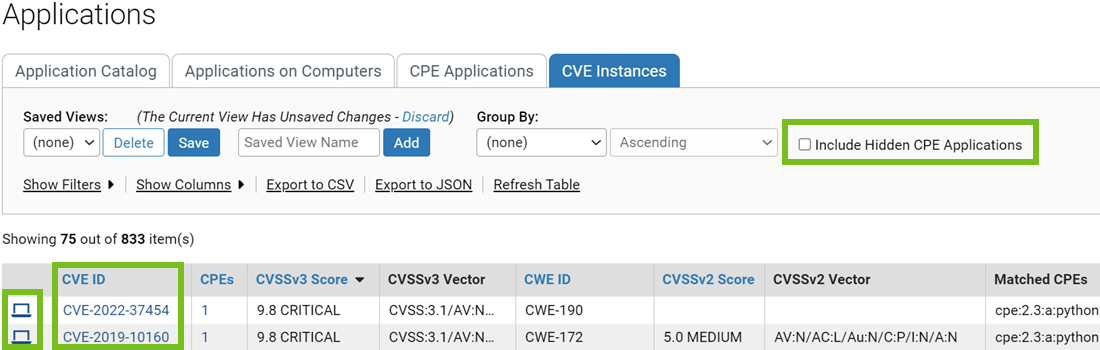
From the top menu, click
Assets> Applications, and
then click the CVE Instances tab.
The CVE Instances tab is displayed.
 Restriction: The CVE Instances information is available for Windows Agents only.
 -
To determine if your environment
is affected by a CVE instance, click on the CVE ID to view details about the CVE
on the NIST website.
Tip: If the CVE instance is critical, an event will have been generated, and you can view it on the Alert Instances page.
- To view hidden CPE applications, click the check box next to Include Hidden CPE Applications.
-
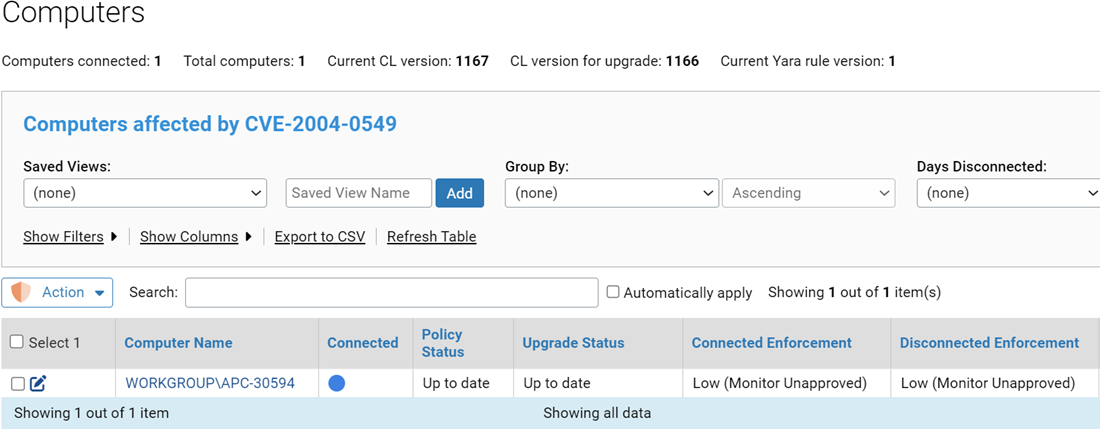
To find computers affected by a
CVE instance, click the Find Computers button on the left
of the CVE instance.
The Computers page is displayed and it is filtered for those computers.
-
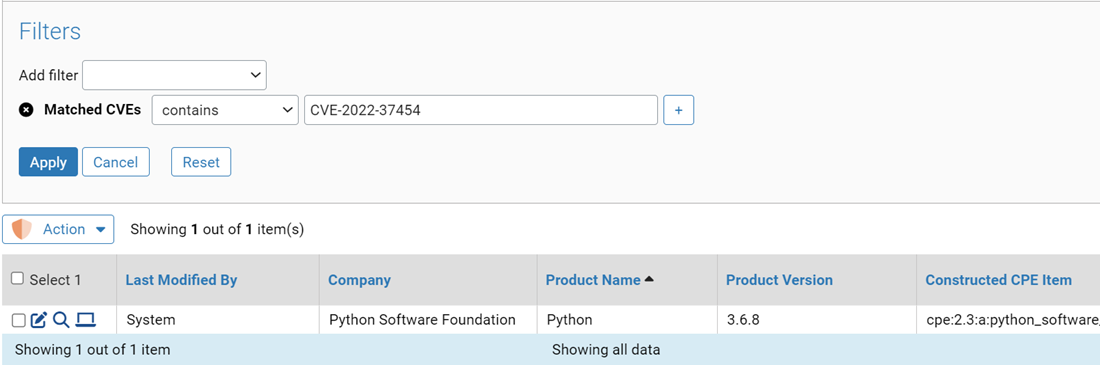
To view the CPE applications
that are affected by a CVE instance, click on the number in the
CPEs column for the CVE instance.
The CPE Applications tab is displayed, and it is filtered for those applications.