
Create an Alert
To create an alert, perform the following procedure.
- In the console menu, click Tools > Alerts.
-
On the Alerts page, click the
Add Alert button. The Add Alert page appears:
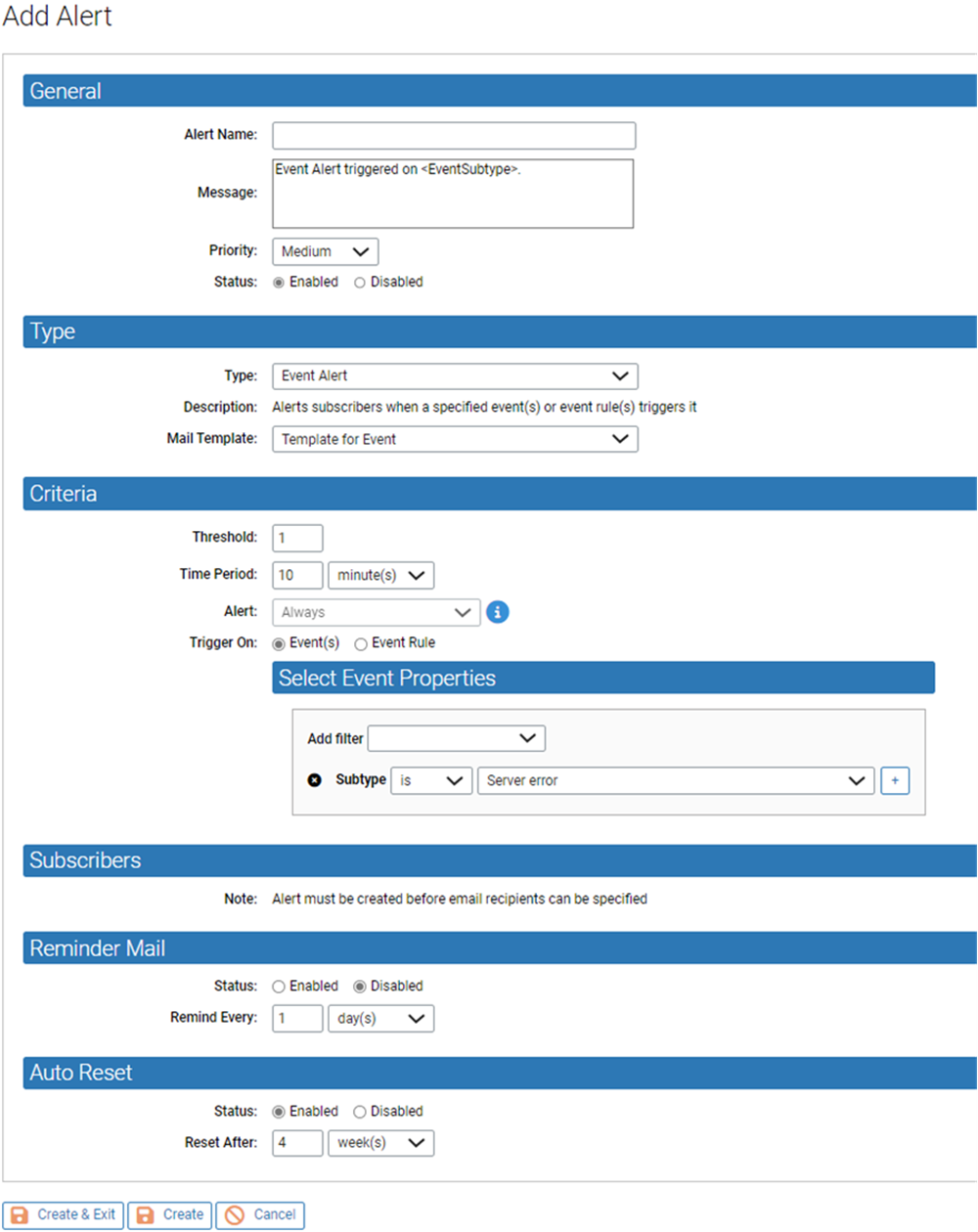
- Enter the information requested. See Alert Fields for details about the fields you can specify.
- When you have finished defining the alert, click either Create, to create the new alert and stay on this page, or click Create & Exit to return to the table of alerts. (You might use Create if you want to add subscribers to this alert.)