
Remove an Event Cache
After you create an event cache, the view for that cache is run every night until you remove it from the Cached Events page. Removing caches you no longer need eliminates unnecessary nightly processing and the additional data footprint of the cache.
- In the console menu, click Reports > Cached Events.
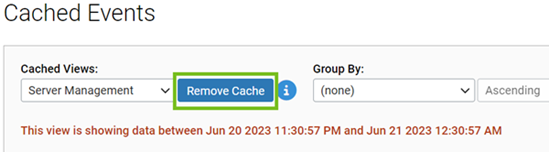
- On the Cached Events page, use the Cached View menu to select the cache to remove.
-
Click the Remove Cache button. The cache is removed from
the Cached Events page and is no longer be processed.
- Click the Success banner to refresh the Cached Events page.